A weekly and monthly review in Obsidian with Garmin data
sleep_score hrv resting_hr steps run_minOne dashboard that counts its own week. Put it in a note named for the week and it shows that week against your usual level, whether you open it on Sunday evening or a month later. The same works for a month.
1Name the note for the week
Dashy reads the dates a block counts from the name of the note it sits in. A note named 2026-W46 is that ISO week, a note named 2026-11 is that month. With period: note the same block is right in every week's note, however late you open it.
Pick Weekly review in the wizard and Garmy creates the note under that name, for the current week. If you already keep weekly notes with Periodic Notes, open one and use Insert into the current note instead. Dashy also reads the week format set in Periodic Notes.
If a note with the name already exists, Garmy says so and does not create 2026-W46 2, because that name would not be a week.
2The week against your usual
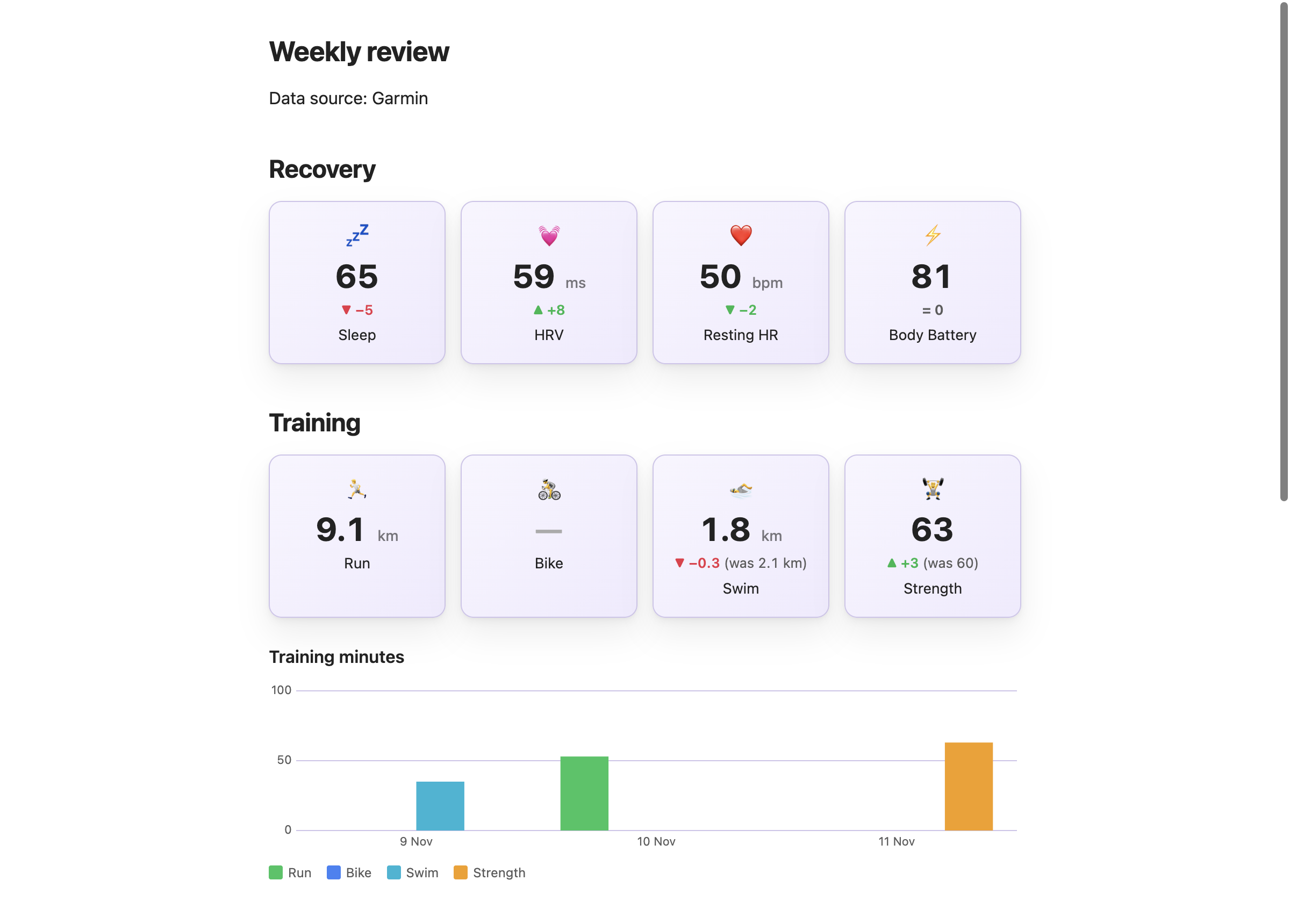
Recovery cards average sleep score, HRV, resting heart rate and Body Battery over the week and compare each with your usual level, the average of every earlier day. Training cards sum distance per sport and compare with the week before.
```stats
columns: 4
source: Garmy/data
period: note
items:
  - { label: Sleep, field: sleep_score, agg: avg, precision: 0, icon: 💤, compare: usual, better: up }
  - { label: HRV, field: hrv, agg: avg, precision: 0, unit: " ms", icon: 💓, compare: usual, better: up }
  - { label: Resting HR, field: resting_hr, agg: avg, precision: 0, unit: " bpm", icon: ❤️, compare: usual, better: down }
  - { label: Body Battery, field: body_battery, agg: avg, precision: 0, icon: ⚡, compare: usual, better: up }
``````stats
columns: 4
source: Garmy/data
period: note
items:
- { label: Run, field: run_km, agg: sum, precision: 1, unit: " km", icon: 🏃, compare: true, better: up }
- { label: Bike, field: bike_km, agg: sum, precision: 0, unit: " km", icon: 🚴, compare: true, better: up }
- { label: Swim, field: swim_km, agg: sum, precision: 1, unit: " km", icon: 🏊, compare: true, better: up }
- { label: Strength, field: strength_min, agg: sum, precision: 0, icon: 🏋️, compare: true, better: up }
```period: noteThe week the note's name stands for, written once on the block.compare: usualNeedsagg: avg. The usual level never includes the week it is compared with.better: downResting heart rate and stress colour a fall green.
3Keep the streak outside the week
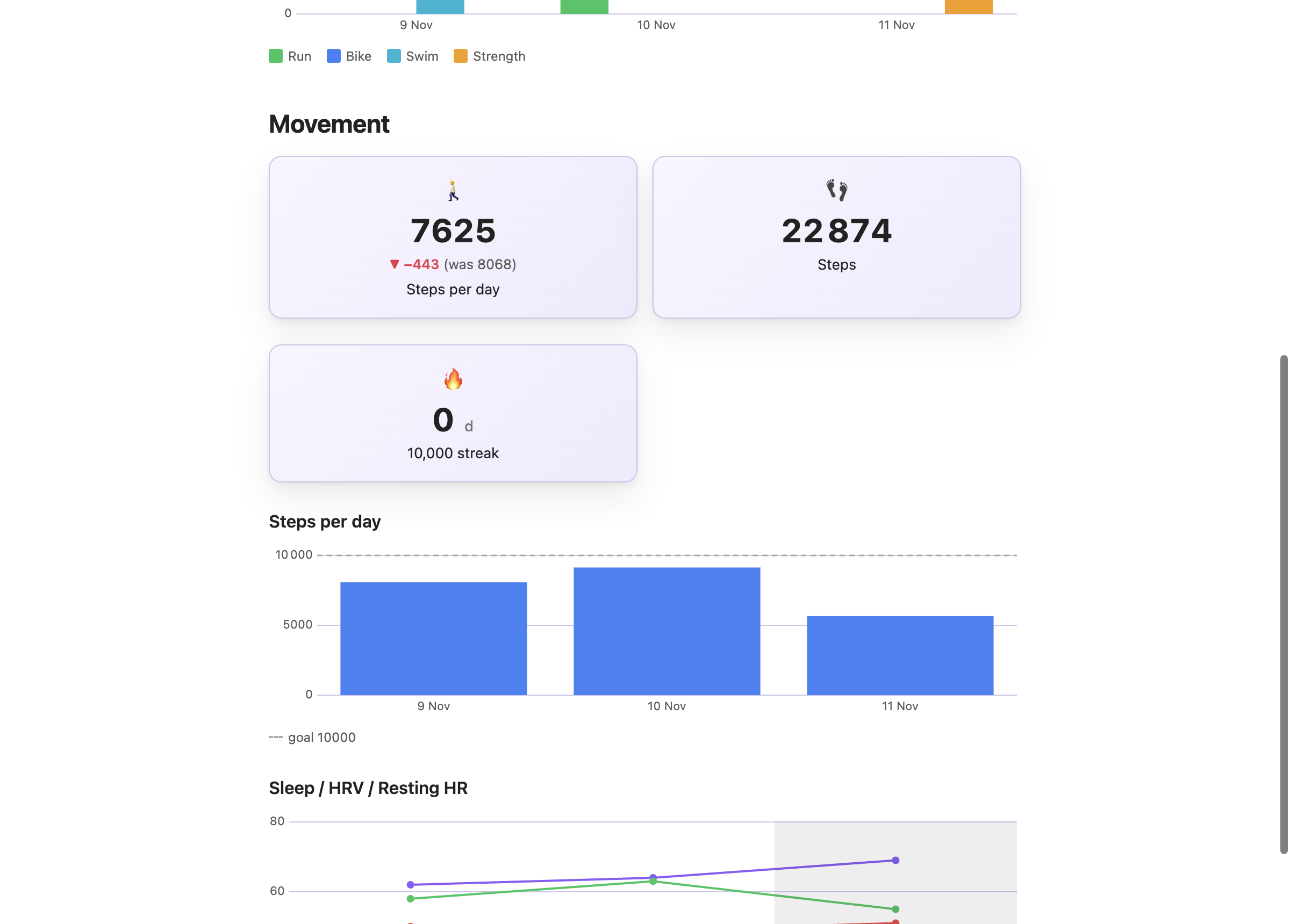
A streak counts back from today, so it cannot live in a block that looks at one week. Garmy puts the 10,000 step streak in a block of its own with no period.
```stats
columns: 2
source: Garmy/data
period: note
items:
  - { label: Steps per day, field: steps, agg: avg, precision: 0, icon: 🚶, compare: true, better: up }
  - { label: Steps, field: steps, agg: sum, icon: 👣 }
``````stats
columns: 2
source: Garmy/data
items:
- { label: "10,000 streak", field: steps, agg: current_streak, at_least: 10000, unit: " d", icon: 🔥 }
```4Charts and a calendar for that week
Charts take range: note and draw the seven days of the week. The calendar view puts a dot per sport under each day.
```dashy-chart
source: Garmy/data
field: steps
type: bar
range: note
goal: 10000
label: Steps
title: Steps per day
``````heatmap
source: Garmy/data
range: note
layout: calendar
pick: max
title: Month by day
layers:
- { field: run_min, color: green, label: Run }
- { field: bike_min, color: blue, label: Bike }
- { field: swim_min, color: cyan, label: Swim }
- { field: strength_min, color: orange, label: Strength }
```
5The monthly review
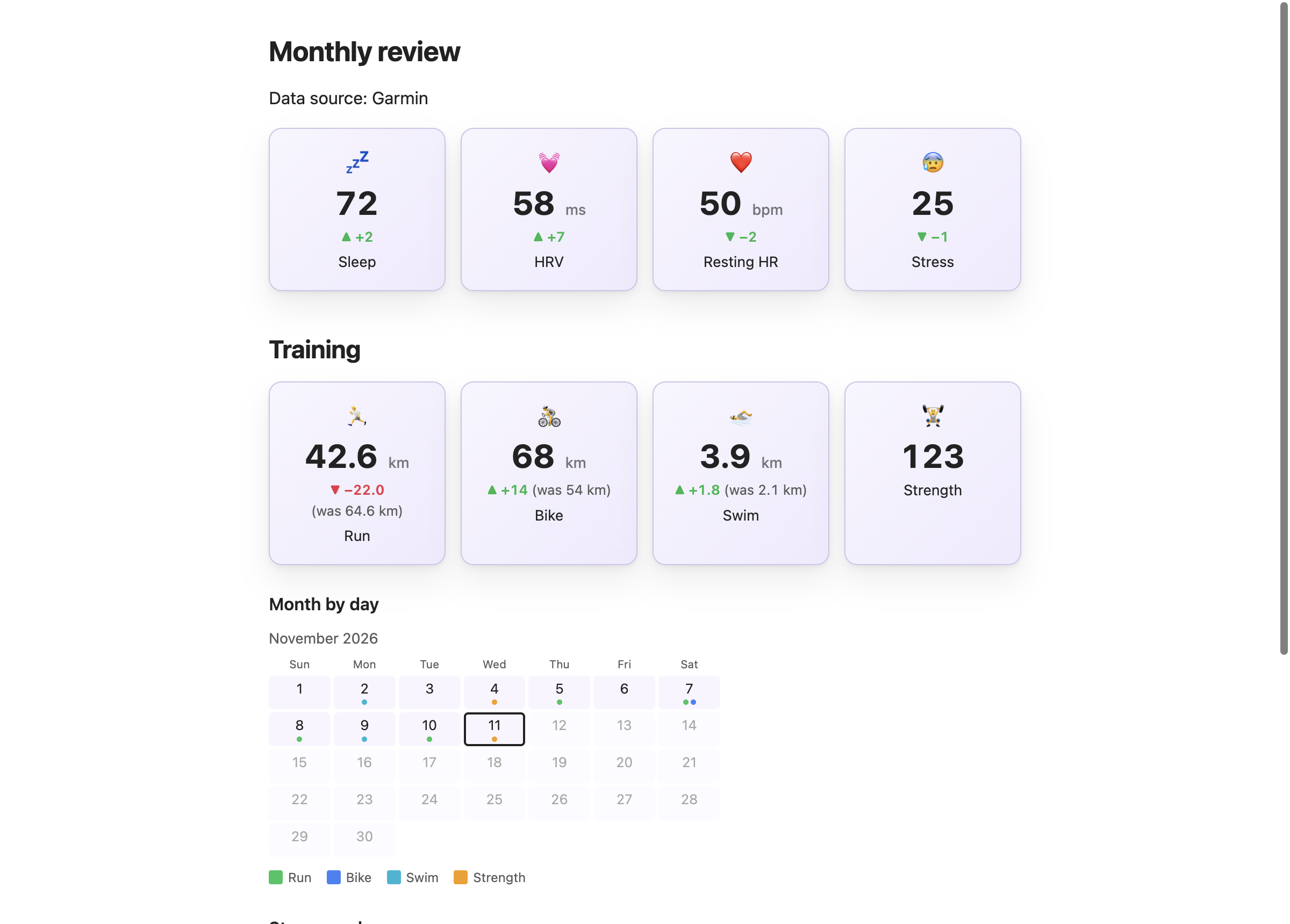
The same idea over a month, in a note named 2026-11. It has four recovery and movement cards, the training cards, a month calendar and two charts.
```stats
columns: 4
source: Garmy/data
period: note
items:
  - { label: Sleep, field: sleep_score, agg: avg, precision: 0, icon: 💤, compare: usual, better: up }
  - { label: HRV, field: hrv, agg: avg, precision: 0, unit: " ms", icon: 💓, compare: usual, better: up }
  - { label: Resting HR, field: resting_hr, agg: avg, precision: 0, unit: " bpm", icon: ❤️, compare: usual, better: down }
  - { label: Stress, field: stress, agg: avg, precision: 0, icon: 😰, compare: usual, better: down }
``````heatmap
source: Garmy/data
range: note
layout: calendar
pick: max
title: Month by day
layers:
- { field: run_min, color: green, label: Run }
- { field: bike_min, color: blue, label: Bike }
- { field: swim_min, color: cyan, label: Swim }
- { field: strength_min, color: orange, label: Strength }
```
Related guides
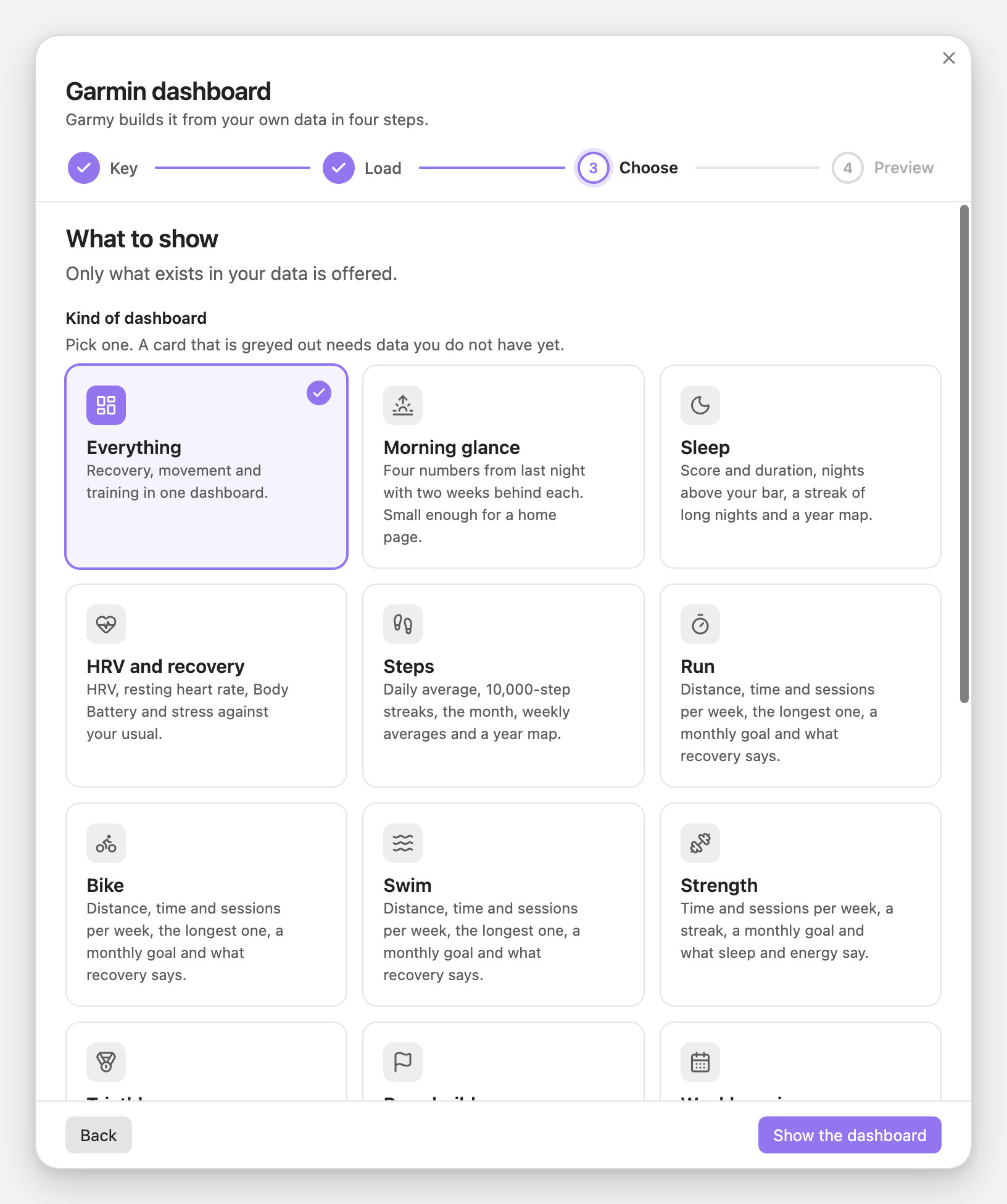
Sleep, HRV, steps, one page per sport, triathlon, race build, weekly and monthly reviews: what each shows and what it needs.
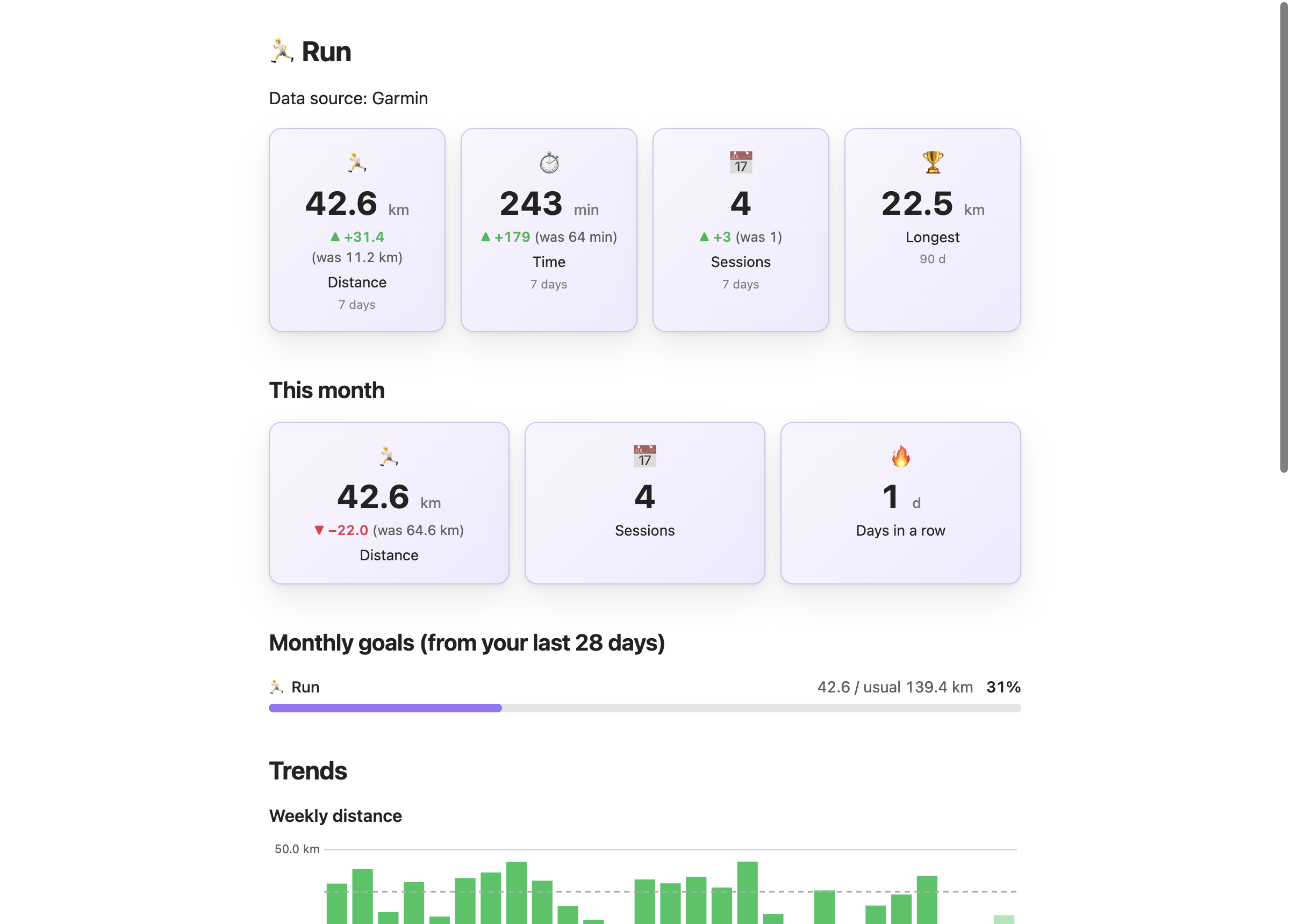
Weekly distance, sessions per week, the longest run and a monthly goal, in kilometers or miles.
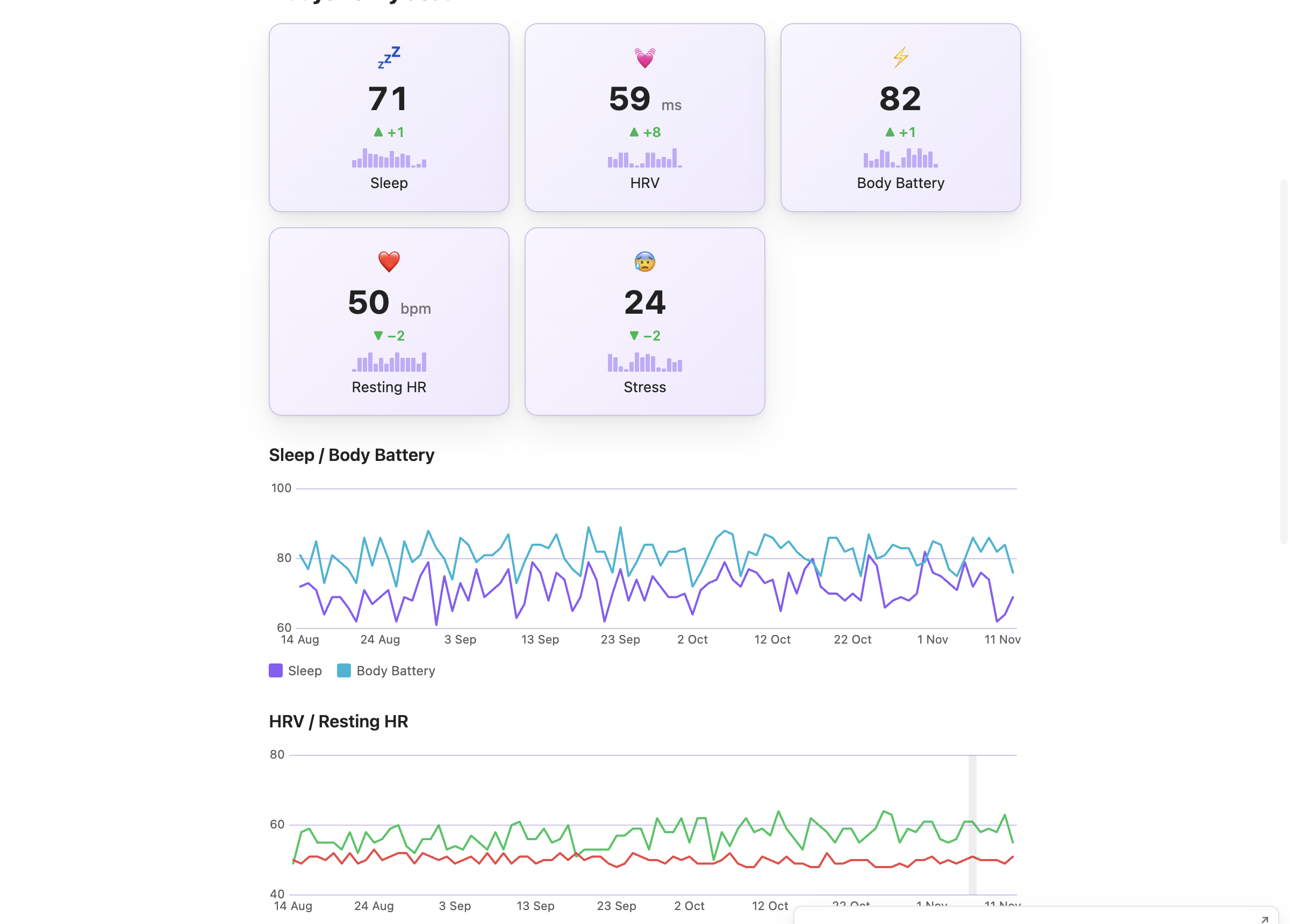
Sleep score, sleep duration, HRV, resting heart rate and Body Battery as cards and charts in one note.
Install Garmy and Dashy, load your history and pick Weekly review or Monthly review.