Eleven Garmin dashboards for Obsidian: which one to pick
garmyGarmy does not build one dashboard. The wizard offers a library: a morning glance, sleep, recovery, steps, a page per sport, triathlon, a race build, a weekly and a monthly review and the year. This page shows what each one is for, so you can pick the one that answers your question.
1Open the library
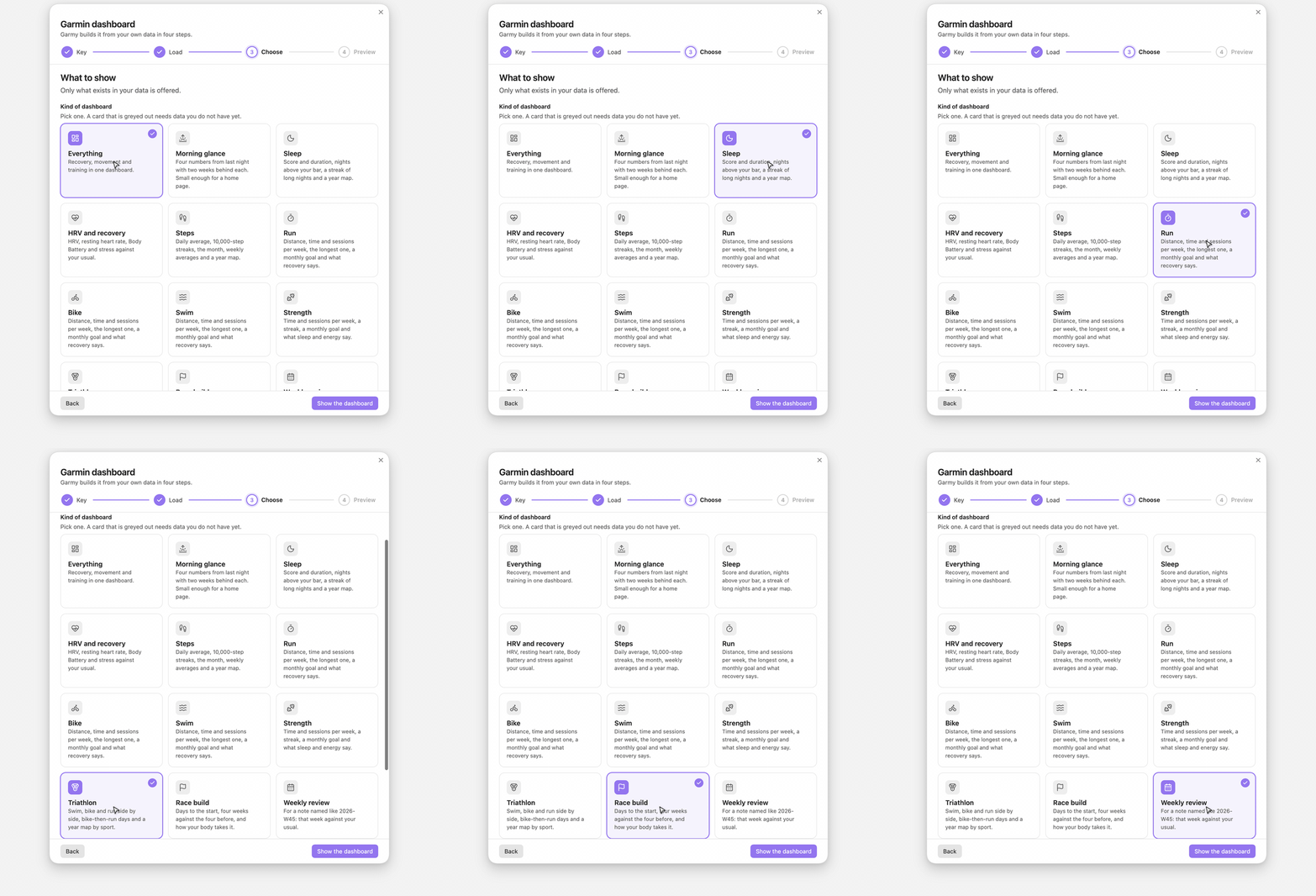
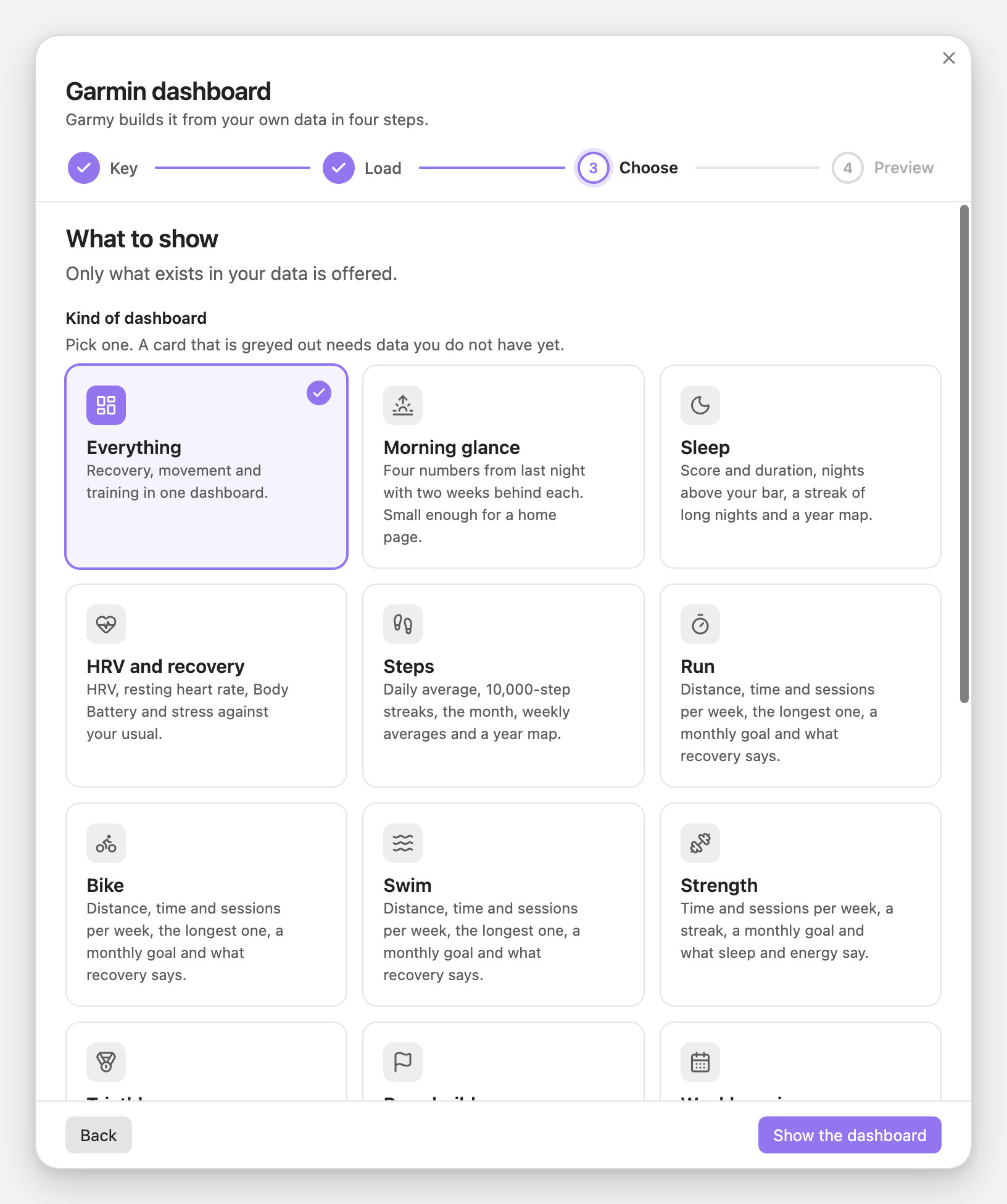
Run Garmy: Build a Garmin dashboard. The third step starts with Kind of dashboard. Every card is one dashboard. A card whose data is missing is greyed out and says what it waits for, for example Needs two of swim, bike and run. The list follows your data, so a sport you never do is not offered at all.
2Pick by the question you have
Each dashboard answers one question. This is the whole list.
| You ask | Pick | Needs |
|---|---|---|
| How am I doing this morning? | Morning glance | any data |
| Did I sleep enough, and how often well? | Sleep | sleep score or duration |
| Am I recovering? | HRV and recovery | HRV, resting heart rate, Body Battery or stress |
| Do I move enough? | Steps | steps |
| How is my running, riding, swimming, lifting? | Run, Bike, Swim, Strength | that sport |
| How balanced is my triathlon training? | Triathlon | two of swim, bike, run |
| Am I ready for the race? | Race build | a race date or a folder |
| What did this week do? | Weekly review | any data |
| What did this month do? | Monthly review | any data |
| Where did the year go? | Year so far | 60 days |
| Everything at once | Everything | any data |
The year page needs 60 days because its monthly bars mean little before that. Everything else works from the first week; charts and comparisons appear as the days accumulate.
3A sport page changes with the sport
The Run, Bike, Swim and Strength cards are one dashboard that adapts. A run page counts distance, time, sessions and the longest run, and pairs the weekly bars with HRV and resting heart rate. A strength page has no distance. It counts time and sessions, and pairs them with sleep score and Body Battery, because lifting is recovered from differently.
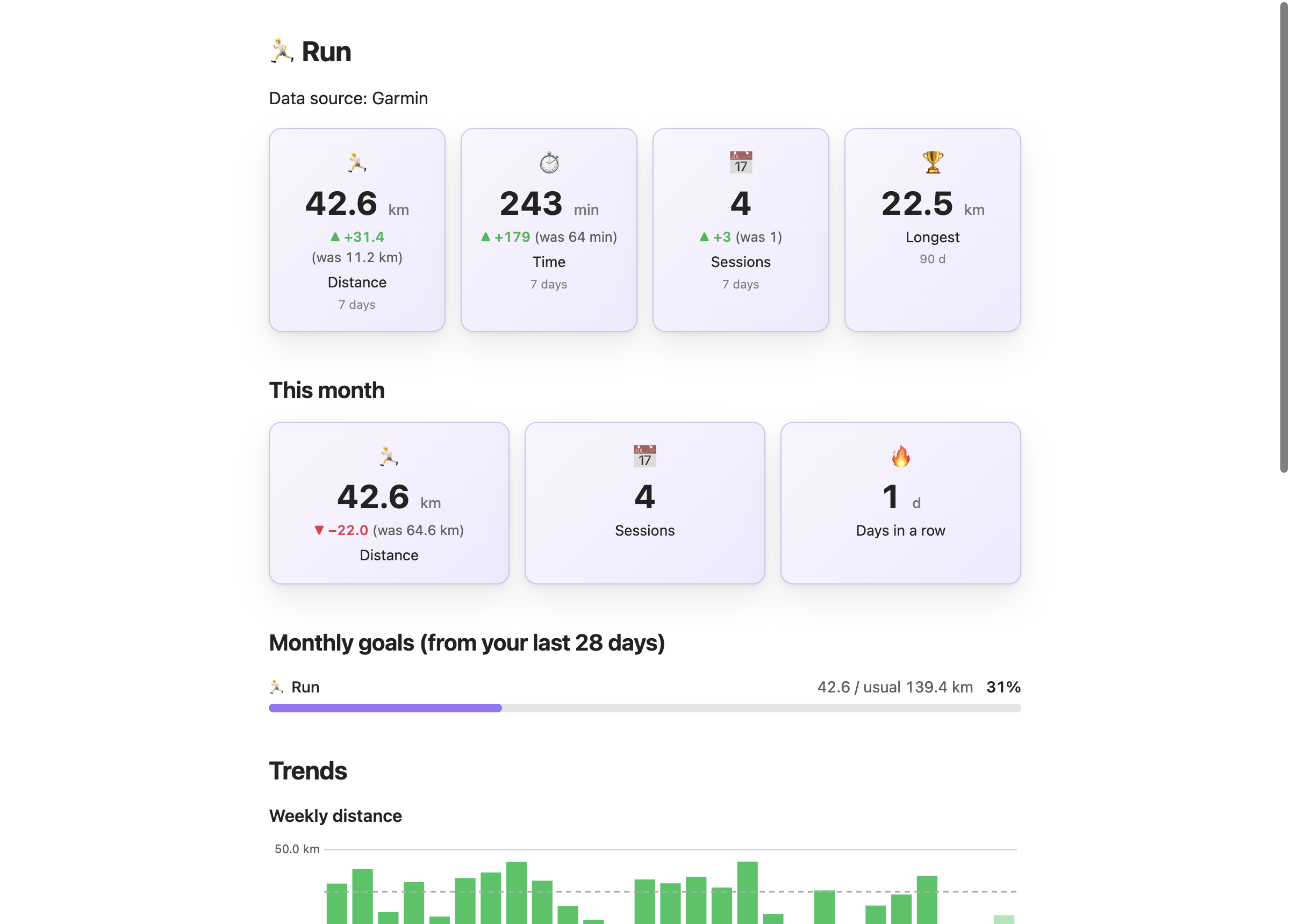
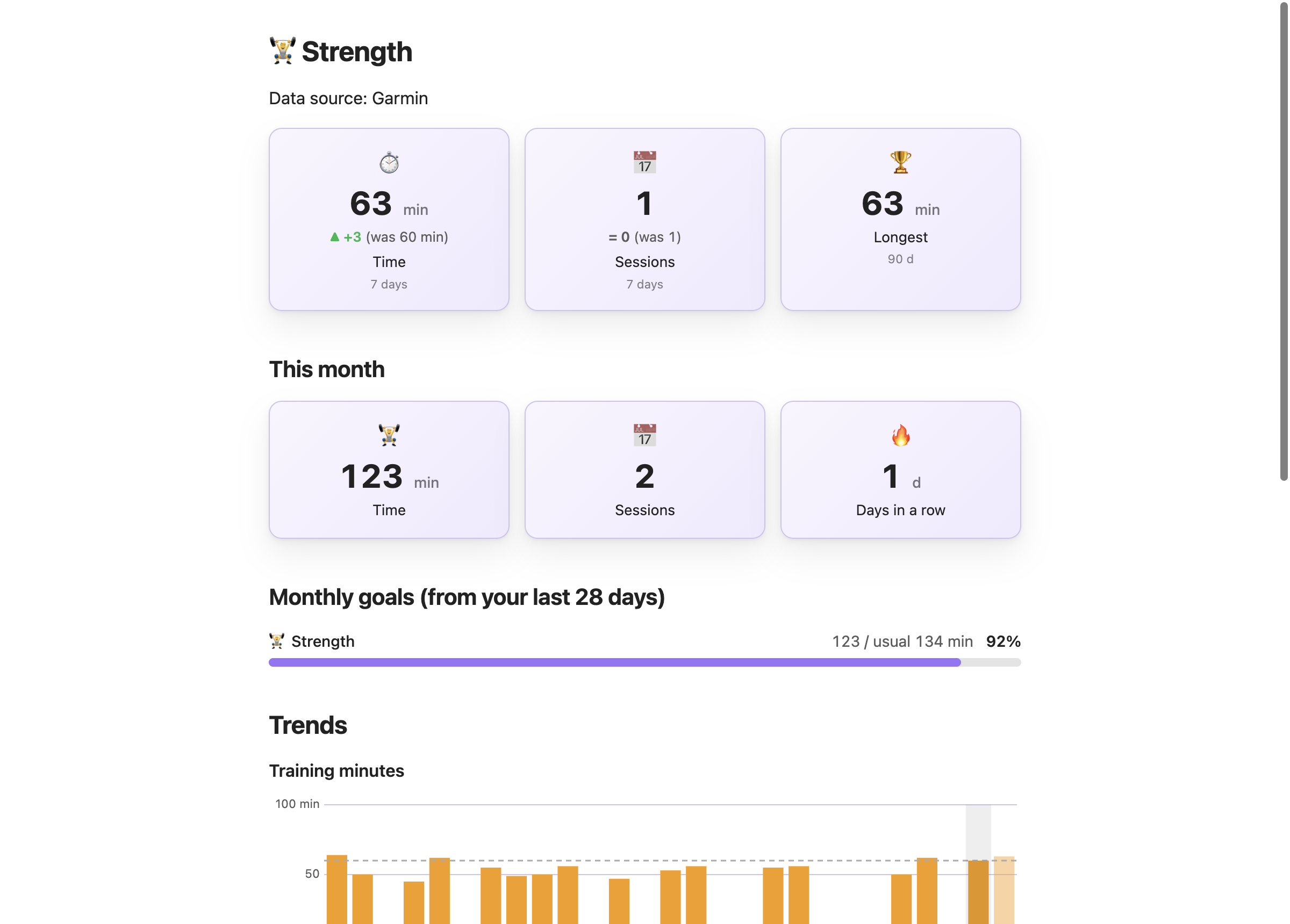
km, mi, ydIn miles mode a run and a ride are in miles and a swim page counts in yards, because a pool is measured in yards. The running guide goes through it.sessionsDays with minutes in that sport, so two runs on one day count once.
4The kind stays in the note
Garmy writes the kind into the note's garmy property next to the choices it was built with. Rebuild the dashboard in this note reads it and builds the same kind again, so a sleep page stays a sleep page and a triathlon page picks up a sport you start later.
garmy: "1|Garmy/data|||en|||sleep"A note made before the library has no kind in it and rebuilds as the overview, exactly as before.
5Keep what you like and change the rest
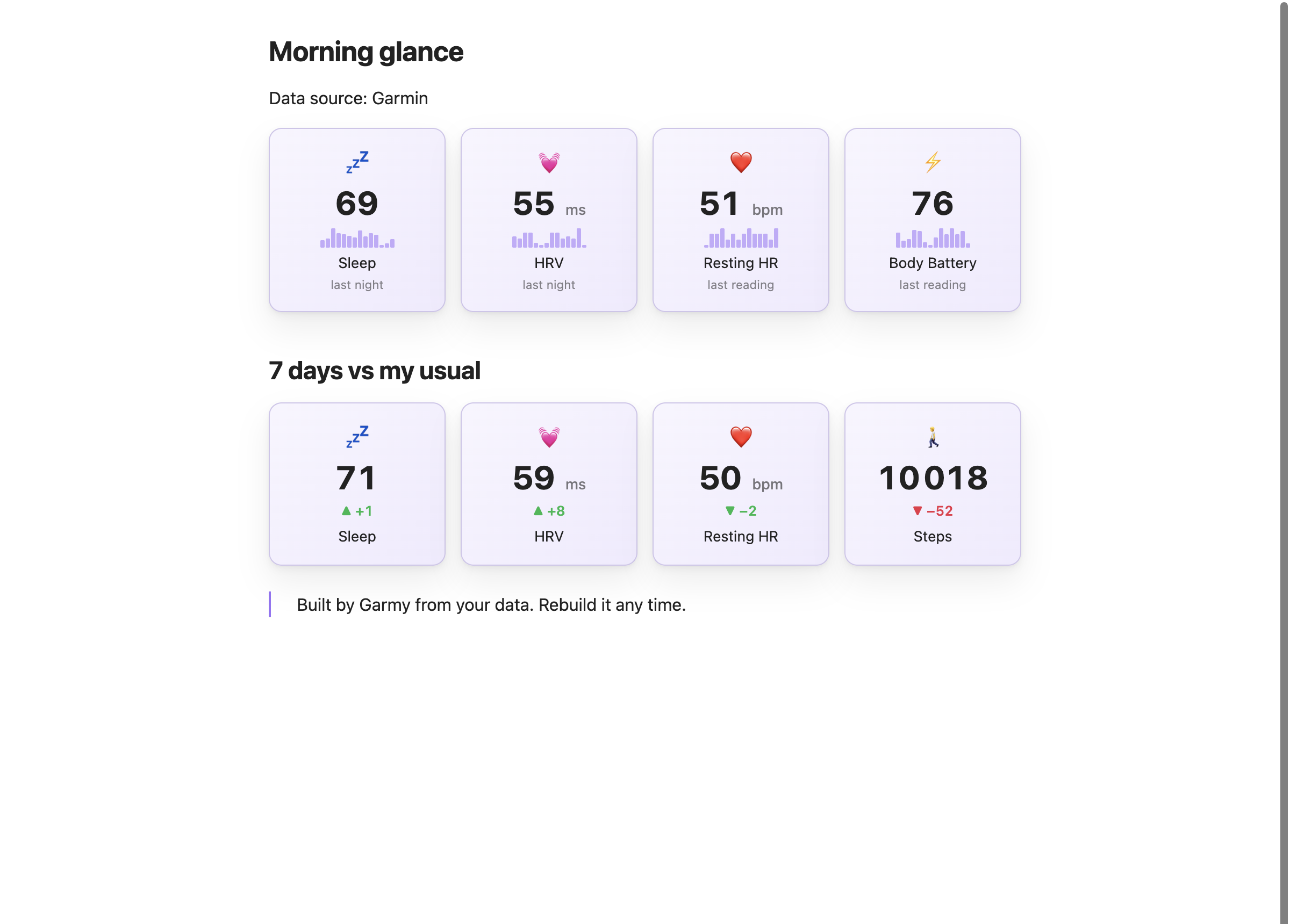
Everything Garmy writes is ordinary Dashy blocks in an ordinary note. Edit colours and labels, delete a block, move the dashboard to your home page. Only the part between the %% garmy:start %% and %% garmy:end %% markers is replaced by a rebuild. Morning glance is the one built to live on a home page: four numbers from last night with two weeks behind each.
Related guides
Weekly distance, sessions per week, the longest run and a monthly goal, in kilometers or miles.
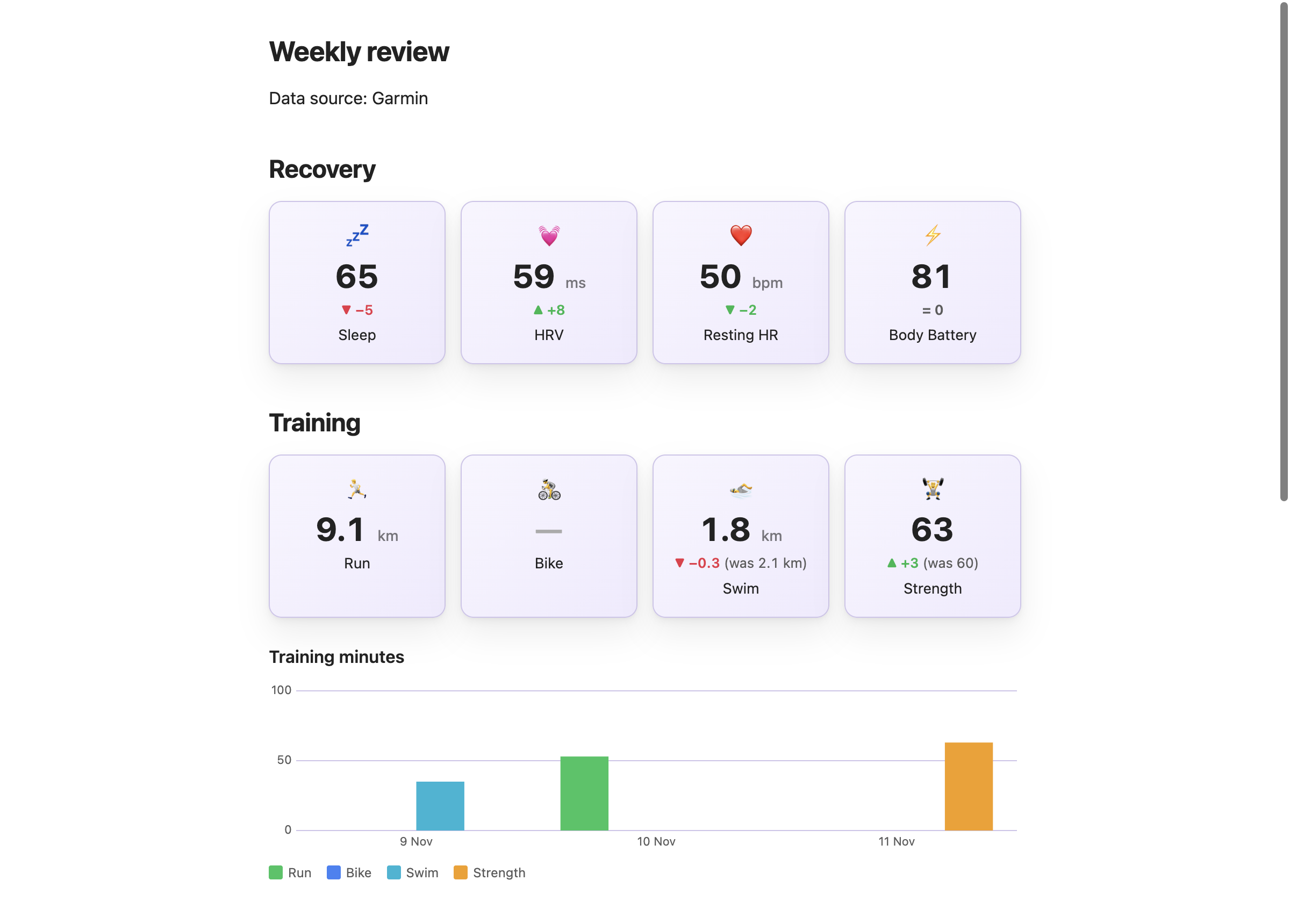
A note named for its week counts that week against your usual, whenever you open it.
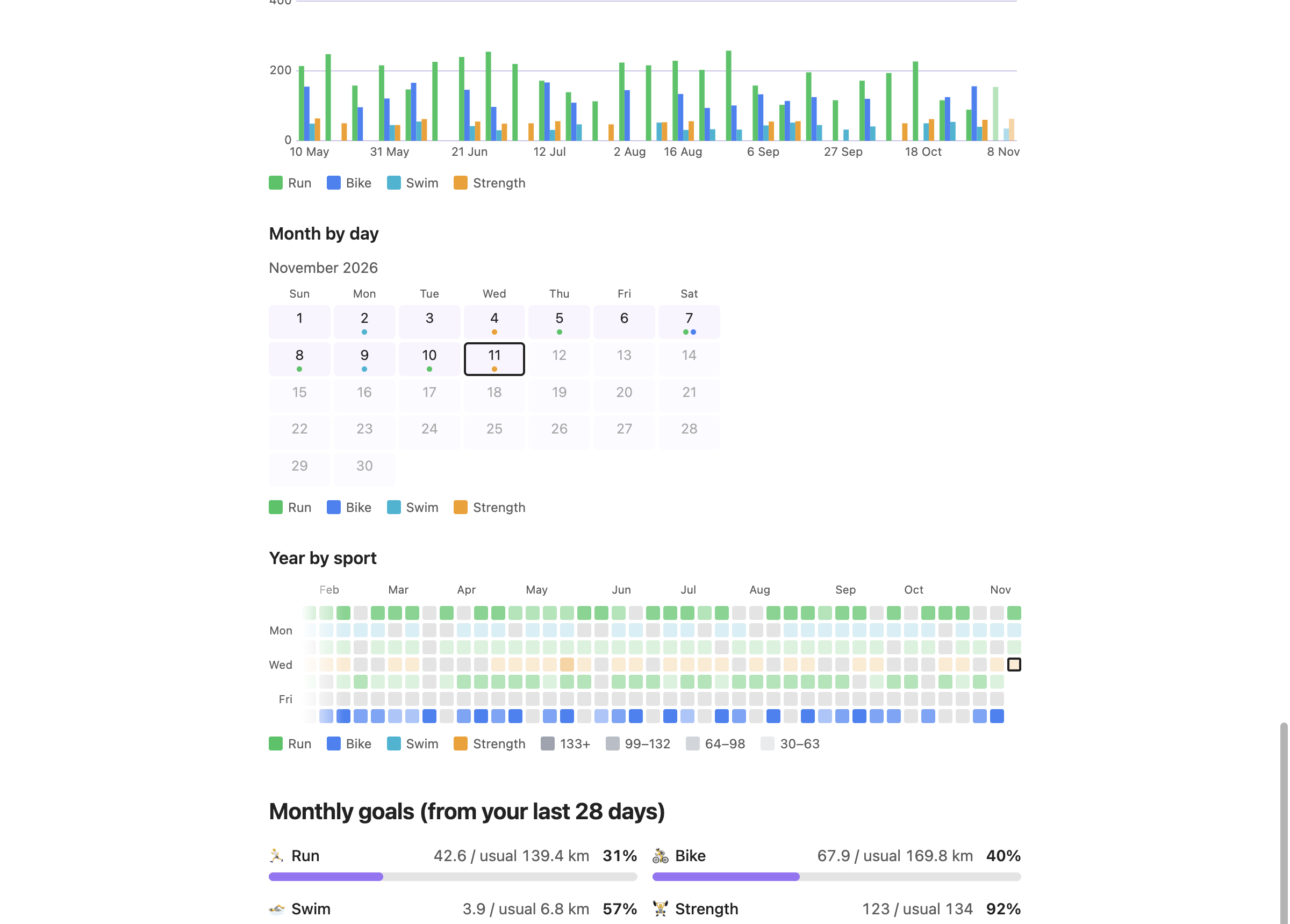
Run, bike, swim and strength per week, a month calendar, a year map by sport and monthly goals.
Install Garmy and Dashy, load your history and pick a dashboard in the third step.