Garmin Connect to Obsidian without Health Sync
Garmin Health Sync is a good plugin. Garmy covers a different part: it builds the dashboard from your own Garmin data, and it loads that data from Garmin's official Personal API. This page says what each one does and how Garmy works with notes Health Sync already wrote.
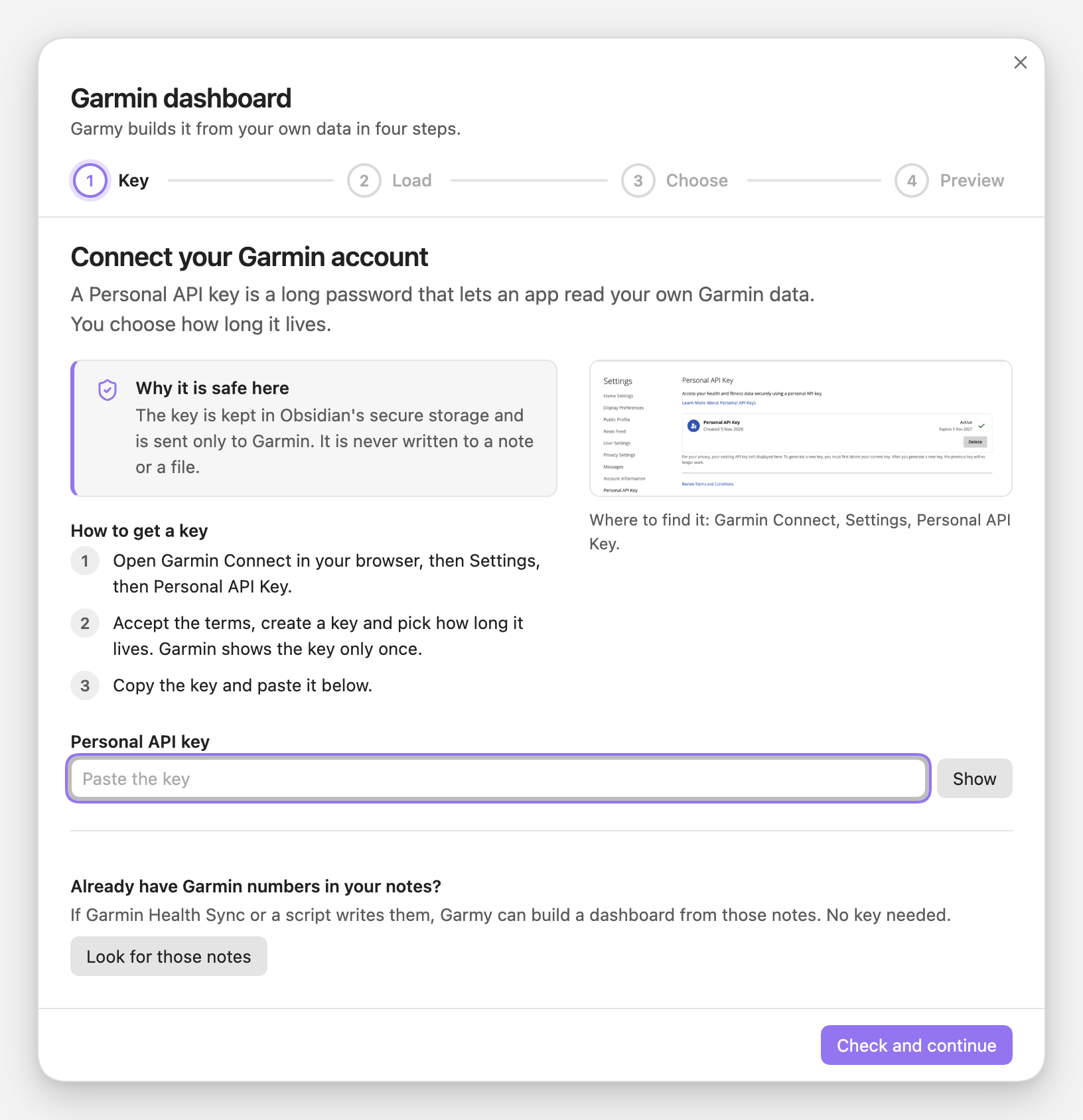
Two ways to get the numbers
- A plugin or script that writes Garmin numbers into your daily notes. Garmin Health Sync is one. Your notes get properties such as
stepsorsleep_score, and you chart them any way you like. - Garmy. It reads Garmin's official Personal API with a key you create in Garmin Connect. It never asks for your Garmin password. It writes one note per day under
Garmy/dataand then builds a dashboard of Dashy blocks from those notes.
The two overlap in places. Health Sync is a good plugin, and if your notes already hold what you need, you may want nothing else. The part Garmy adds is the dashboard: a wizard picks sports and metrics, previews the result on your numbers and writes the blocks into a note.
Which one for what
| You want | Use |
|---|---|
| A ready dashboard from your numbers | Garmy. The wizard writes it, and a rebuild later regenerates it. |
| Numbers already in your daily notes | Keep them. Garmy can build the dashboard from those notes, no key and no loading. |
| Training Readiness or a VO2 max number | Garmy cannot give you these: Garmin's Personal API has neither. Check what Health Sync writes. |
| A full daily distance | Garmy writes no distance_km, because the range endpoints report walking distance only. |
| Your own charts | Either. Garmy's note is plain YAML you can edit, and the day notes are plain properties. |
What Garmy writes
One note per day, with a property only when Garmin returns the number:
---
steps: 10866
resting_hr: 49
stress: 32
body_battery: 84
sleep_score: 79
sleep_duration: "7h 5min"
hrv: 61
run_km: 10.4
run_min: 51
---
Example values. The property names match the ones Health Sync notes carry, and sleep_duration is text like 7h 43min, so a template that reads one reads the other.
1Build a dashboard from notes you already have
This is the mode for Health Sync users. Open Garmy: Build a Garmin dashboard. Under the key field, Already have Garmin numbers in your notes? has a Look for those notes button.
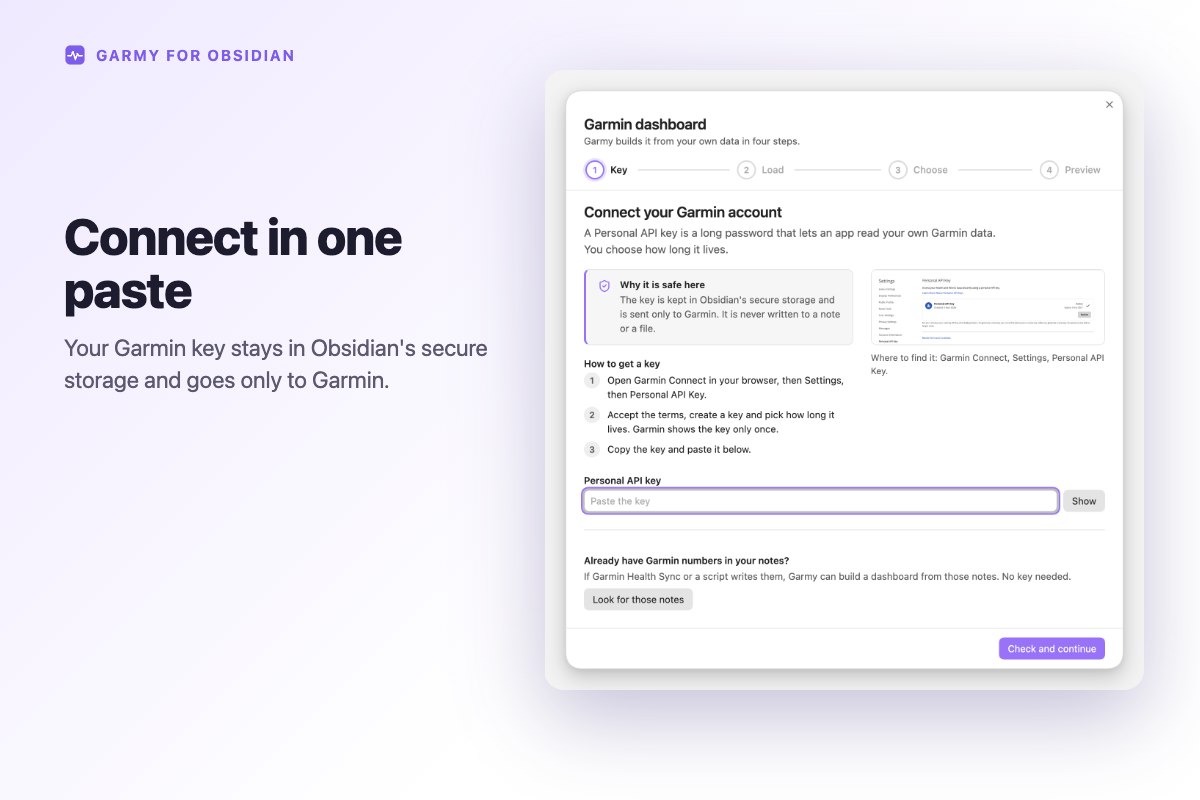
2Pick the folder
Garmy lists the folders it found, with a note count: Found in these folders. Click one. A folder qualifies when:
- it holds at least five notes that count;
- each note has a date in its name:
2026-11-06, or the format of your daily notes from Daily notes or Periodic Notes, such as06.11.2026. Formats with month or weekday names are not read; - each note carries at least two metrics Garmy knows:
steps,resting_hr,stress,body_battery,sleep_score,sleep_duration,hrv,training_readiness,distance_km, or the per sport fieldsrun_km,run_min,bike_km,bike_min,swim_km,swim_min,strength_min.
The scan reads note properties from Obsidian's cache, opens no file and keeps nothing. It runs only when you click the button.
3Choose, preview, create
The wizard skips the key and the load and goes to Choose. It offers what the notes hold. If they carry training_readiness or distance_km, the dashboard uses them, which the Personal API route cannot. The dashboard's source: points at your folder, and the rebuild command reads that same folder later.
Running both
By default Garmy writes to Garmy/data, so the two never touch each other's notes. If you point Garmy's data folder at notes that already carry your values, Garmy fills missing properties in older days and overwrites the three most recent days with Garmin's latest numbers. Use the existing-notes mode instead when you only want the dashboard.
What Garmy leaves out
- Training Readiness and VO2 max, from Garmin's side.
distance_km, for the reason above.- Coaching. It draws your numbers and does not interpret them.
- Phones: not tested yet.
Related guides
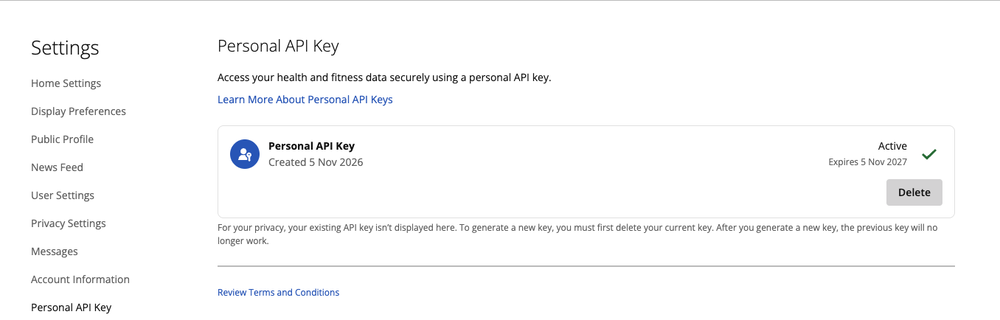
Where to find the key in Garmin Connect, how long it lasts, which numbers Garmy reads with it and which Garmin does not provide.
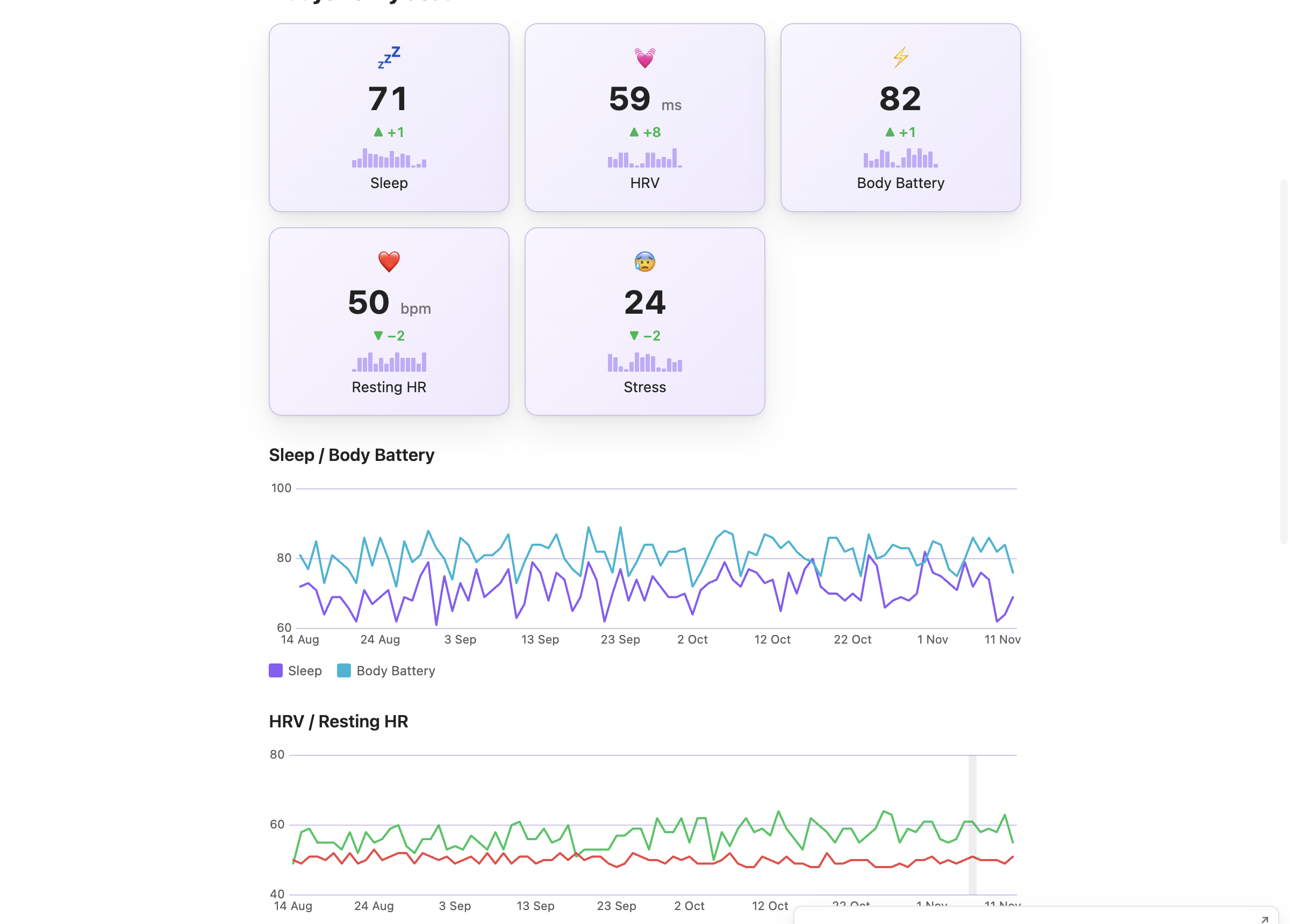
Sleep score, sleep duration, HRV, resting heart rate and Body Battery as cards and charts in one note, from your own Garmin data.
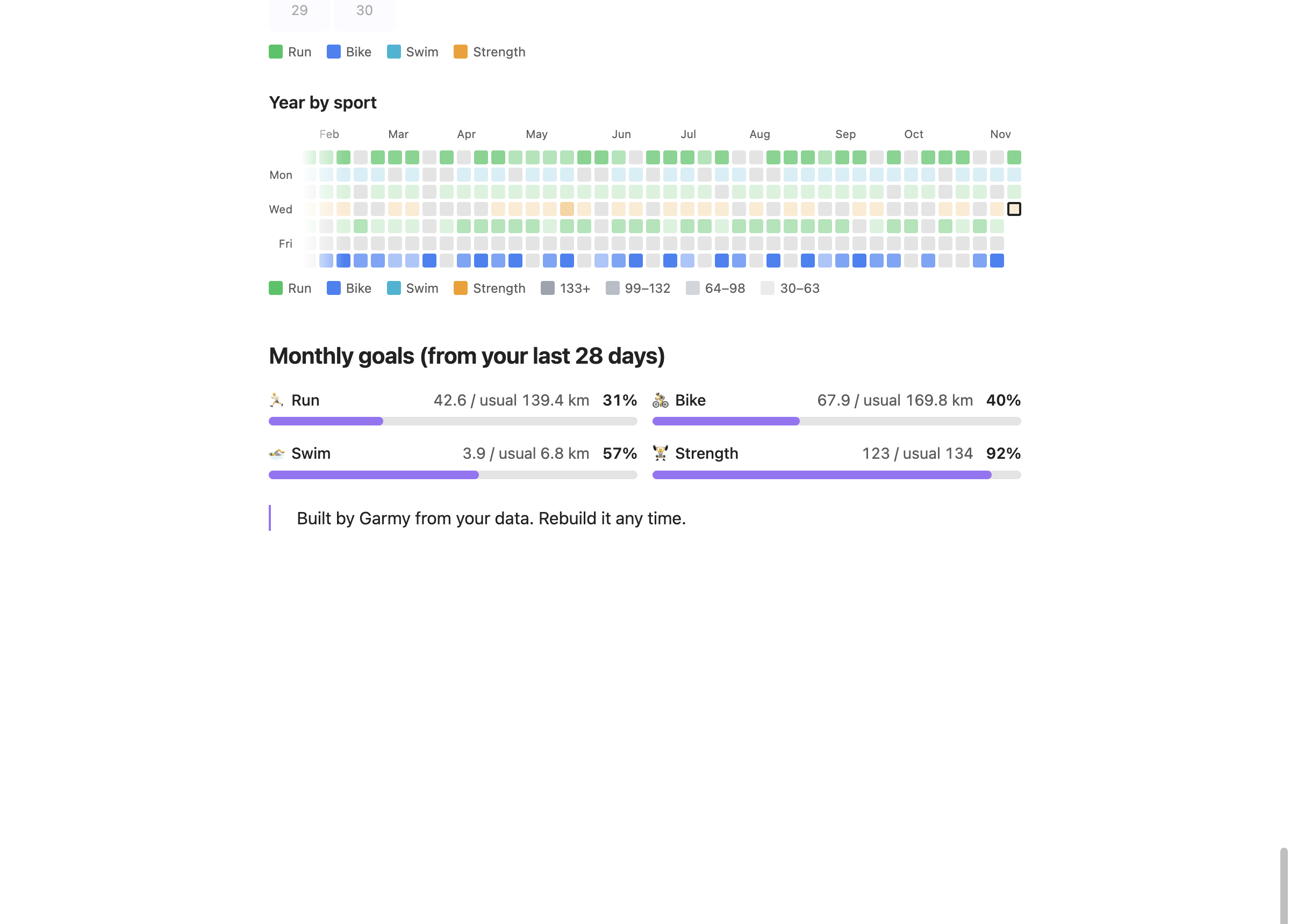
A year of training days coloured by sport, a month calendar and weekly bars, from the minutes Garmy writes into your daily notes.
Install Garmy, then click Look for those notes in the first step.