Dashy
dashsidianA dashboard inside an Obsidian note, built from seven markdown blocks. Each block is a few lines of YAML. No JavaScript, and no Dataview.

The first block on that page is this, in full:
```today
daily: true
weekly: true
monthly: true
```
Seven blocks, one job each
todayToday's date and links to the daily, weekly and monthly notes
tilesLink tiles into the vault, with note counts
statsNumber cards over a selection of notes
progressBars towards a goal
countdownDays until a date
heatmapA year of days, coloured by a number
chartLines or bars of a number over days, weeks or months
Frontmatter, through Obsidian's own metadata cache. The numbers come from properties you already keep in your notes. Nothing else to install, and nothing in your notes that a person cannot read a month later.
Install
Dashy is in Obsidian's community plugin catalog.
- Settings›Community plugins›Browse
- Search for Dashy, then Install and Enable.
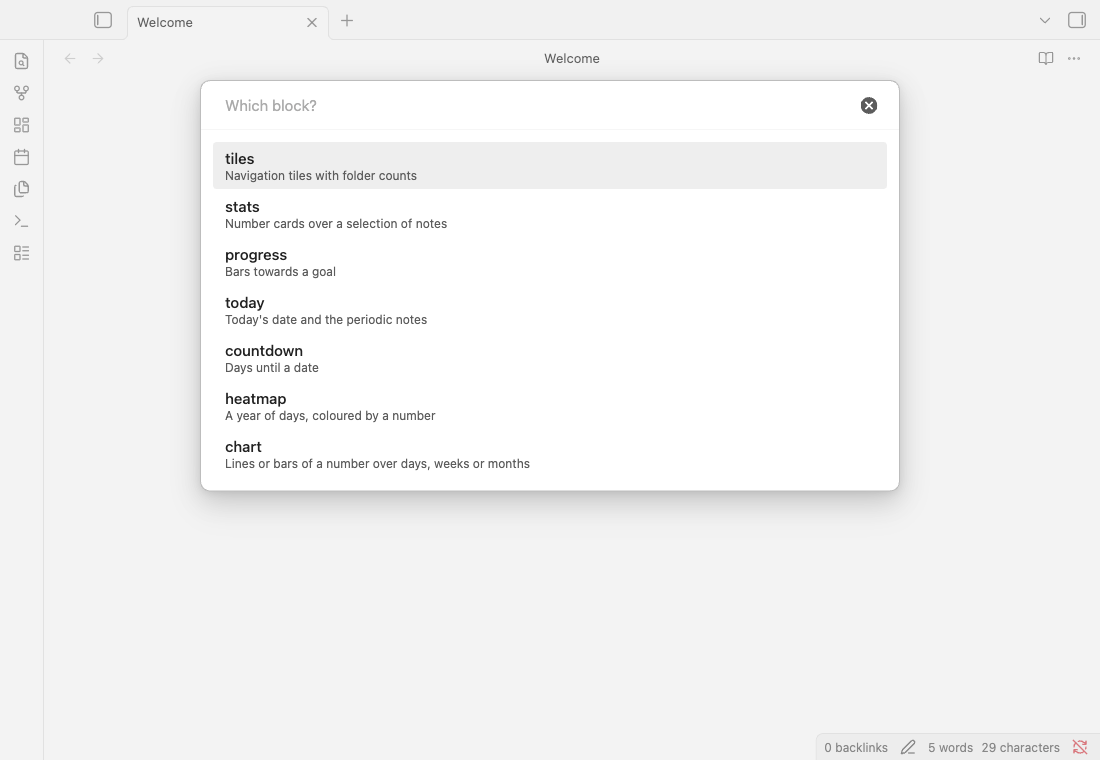
- Open a note and run Dashy: Insert block from the command palette (Ctrl/Cmd P).
- Pick a block. A working example lands at the cursor, ready to edit.
- tilesNavigation tiles with folder counts
- statsNumber cards over a selection of notes
- progressBars towards a goal
- todayToday's date and the periodic notes
- countdownDays until a date
- heatmapA year of days, coloured by a number
- chartLines or bars of a number over days, weeks or months
The picker's own labels. Also on the plugin listing.
A habit tracker from daily note checkboxes
Tick a checkbox property in a daily note, say gym: true, and that note already feeds a habit tracker. Any block that reads a field counts a ticked day as 1 and an unticked one as 0.
```stats
columns: 4
items:
  - { label: Gym days, source: Diary, field: gym, agg: sum, icon: 🏋️ }
  - { label: Longest gym streak, source: Diary, field: gym, agg: streak, unit: days, icon: 🔥 }
  - { label: Gym this week, source: Diary, field: gym, agg: sum, period: week, icon: 📅, compare: true, better: up }
  - { label: Gym this month, source: Diary, field: gym, agg: sum, period: month, icon: 🗓 }
```

```heatmap
source: Diary
field: gym
color: orange
title: Gym
```
sum counts the ticked days. streak finds the longest run on record, and an unticked day breaks it the way a missing note does; the run you are on now is current_streak. period: week narrows a card to the current week, which starts on Monday or Sunday as your language has it. compare: true sets it against the same days of last week, and with better: up a rise shows green. The heatmap paints the ticked days.
period counts from today. "This week" is always this week, and a period: year card starts over on 1 January without an edit.
The streak you are on right now
```stats
columns: 2
items:
  - { label: Days in a row, source: Diary, field: meditate, agg: current_streak, unit: days, icon: 🔥 }
  - { label: Best streak, source: Diary, field: meditate, agg: streak, unit: days }
```
streak is the best run on record; current_streak is the run going on now, counted back from today by the same rules. Today never breaks it: a day with no note yet leaves the run counted up to yesterday, and only a missed yesterday resets it.
Streaks bend to real life. at_least: 5000 counts a day only once the steps get there. days: weekdays lets Friday and Monday join into one run. skip_field: vacation makes a holiday neither break a streak nor extend it. Step by step: a streak that skips weekends.
Step by step: a habit tracker without Dataview, from the daily note to the year grid, next to the same tracker in Tracker and dataviewjs.
Sleep in hours and minutes
Your watch writes sleep: 7h 38min. Dashy reads it as a number and shows it back as 7h 38m: averages, goals, deltas, heatmap colours and chart axes.
```stats
columns: 3
items:
  - { label: Sleep this week, source: Diary, field: sleep, agg: avg, period: week, compare: true, better: up }
  - { label: Shortest night, source: Diary, field: sleep, agg: min, period: month }
  - { label: 7h+ nights in a row, source: Diary, field: sleep, agg: current_streak, at_least: 7h }
```

```chart
source: Diary
field: sleep
agg: avg
goal: 8h
```

```heatmap
source: Diary
field: sleep
color: purple
bands: [8h, 7h, 6h]
range: 182d
```
stats, progress, heatmap and chart read a duration as minutes: H:MM or H:MM:SS (7:30, 0:51:20), or h, m or min, s or sec, largest first (5h 58min, 1h30m, 90 min, 1.5h). When every value of the field is a duration, the result reads as one: 7h 30m on a card, 7h 5m / 8h on a bar, ▲ +36m on a delta. There are no days: a week of sleep reads 49h 35m. count and streak still count notes and days.
goal, at_least, at_most and bands take the same formats. A plain number there means minutes, so goal: 480 equals goal: 8h.
H:MM is always a duration, never a time of day: bedtime: 23:40 counts as 23 hours 40 minutes. A value with anything else in it (running: "10 km · 51min") stays text, and so do localized units and ISO PT1H30M.
today: where the day starts
A row with today's date and links to the daily, weekly and monthly notes. Folders and filename formats come from Periodic Notes when you have it, and from the core Daily notes plugin otherwise; Dashy's own settings win over both. A note that does not exist yet gets a dimmed link, and clicking it creates the note.
```today
daily: true
weekly: true
monthly: true
```
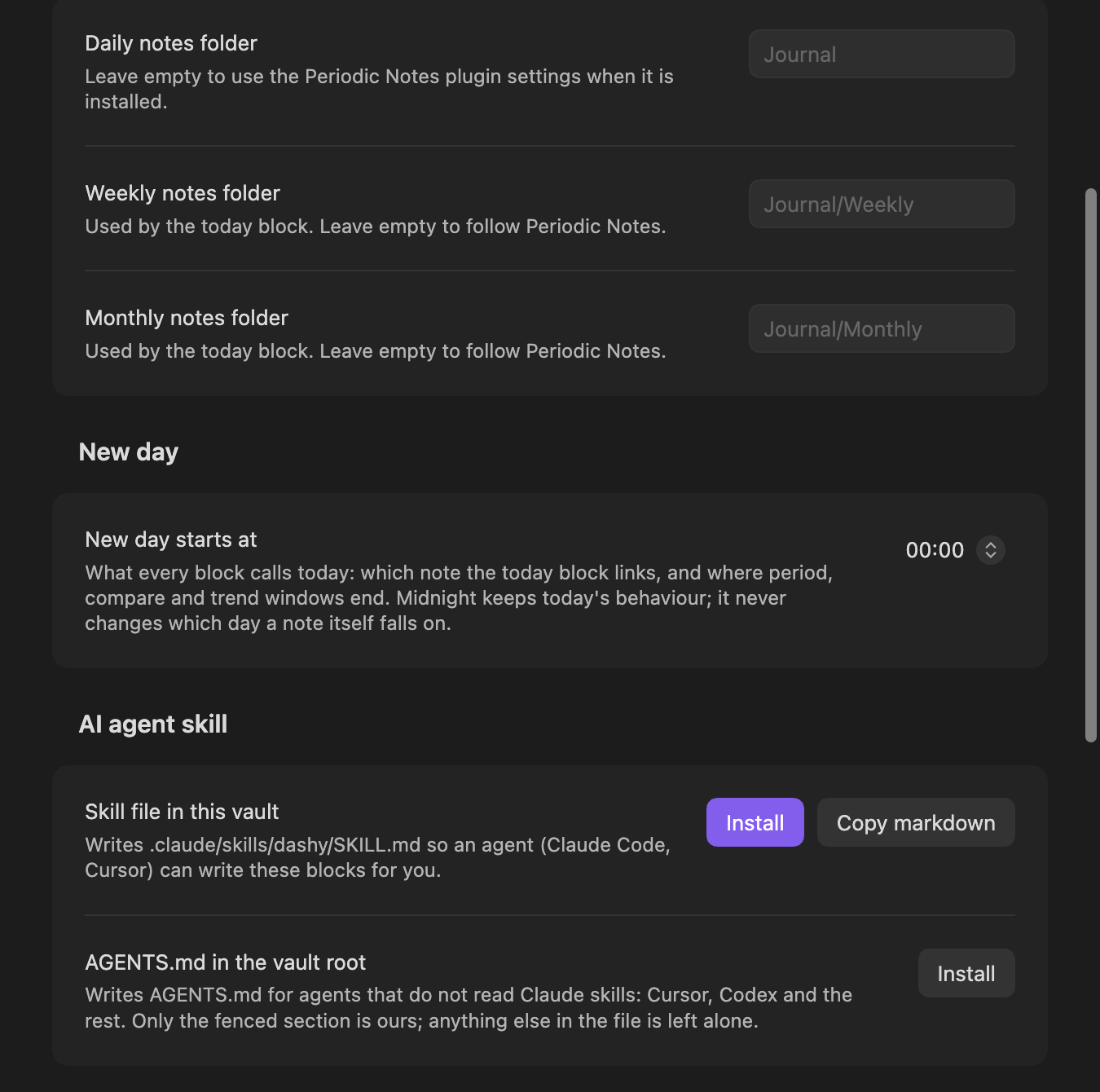
Dashy's own New day starts at setting (00:00 to 06:00, midnight by default) decides what "today" means here, and for every other block on the page: period and compare windows, the heatmap's current day, countdown. It moves which day this block points to, not which day a note itself falls on: a note's own date is still its name or date_field.
Every key: reference/today/
tiles: getting around
A grid of links into the vault, each with a live count of the notes in its folder. path also takes a Bases view, path: Vault.base#My view, which is the answer whenever you want a table.
```tiles
columns: 4
items:
  - { label: Inbox, path: Inbox, icon: 📥, badge: count }
  - { label: Diary, path: Diary, icon: 📔, badge: count, sub: one note a day }
  - { label: Books, path: Books, icon: 📚, badge: count }
  - { label: Sport, path: Diary, icon: 🏃, accent: true, sub: training log }
```
badge: count normally counts everything under path. Add tag, where, period and date_field to narrow it, the same keys stats uses below: a mail inbox tile that only counts this month's messages, a calendar tile that only counts today's events, both without an edit when the month turns.
```tiles
columns: 2
items:
  - { label: Mails, path: Mails, icon: 📥, date_field: start, period: month, badge: count }
  - { label: Events, path: Events, icon: 📅, date_field: start, period: 1d, badge: count }
```
These four keys only mean something next to badge: count; on a tile with no badge, or a custom one, they are ignored and warn.
Every key: reference/tiles/
stats: the numbers
One card per number, counted over the notes you select by source, tag or where. agg is one of count, sum, avg, min, max, latest, streak, current_streak. trend: 30d draws the last thirty days next to the number, scaled between their own lowest and highest value.
```stats
columns: 4
items:
  - { label: Days logged, source: Diary, agg: count, icon: 📔 }
  - { label: Average sleep, source: Diary, field: sleep_score, agg: avg, precision: 1, trend: 30d }
  - { label: Steps this week, source: Diary, field: steps, agg: sum, unit: steps, period: week }
  - { label: Best night, source: Diary, field: sleep_score, agg: max, trend: 90d }
  - { label: Longest streak, source: Diary, field: sleep_score, agg: streak, unit: days }
  - { label: Latest steps, source: Diary, field: steps, agg: latest, sub: most recent note }
  - { label: Great nights, source: Diary, where: "sleep_score >= 90", agg: count }
  - { label: Books read, source: Books, period: year, date_field: finished, agg: count, icon: 📚 }
```
period: week, month or year narrows a card to the current calendar one, ending today; period: 30d is a rolling count of days instead. A note's date is its name, as long as it starts with YYYY-MM-DD (2026-03-02 Monday and 2026-03-02_standup both count), unless date_field names a frontmatter date property instead. streak, current_streak, latest and trend resolve a note's date the same way, whether or not period is even set, and two or more notes landing on the same day always count as that one day, not two.
where is a condition on frontmatter: where: "rating >= 4", where: "tags contains books". Several conditions must all hold, as a list, where: [year = 2026, "rating >= 4"], or joined by and, where: "year = 2026 and rating >= 4". or is not supported: it warns and the filter is ignored.
With nothing to count, a field aggregate like sum or avg shows a dash: "no notes at all" and "the sum is zero" are different answers. count has no such gap; an empty selection reads a plain 0, the same as everywhere else it counts notes. The dash also covers a field that no selected note actually carries, or one that holds text instead of a number: the card names which, rather than a zero that hides a typo.
Every key: reference/stats/
progress: how far along
Bars towards a goal. Beating it shows as it is: 110% stays 110%, only the bar stops at full. period and date_field work as they do on stats, narrowing what the goal is measured against and feeding streak and latest too; "Books this year" reads a finished property, since a book is rarely named as a date.
```progress
items:
  - { label: Days logged this year, source: Diary, agg: count, goal: 365, icon: 📔 }
  - { label: Books this year, source: Books, period: year, date_field: finished, agg: count, goal: 24, icon: 📚 }
  - { label: Steps, source: Diary, field: steps, agg: sum, goal: 3000000, unit: steps, sub: three million }
```
Every key: reference/progress/
countdown: what is coming
Cards counting the days to a date. A date that has passed keeps its card and counts up instead.
```countdown
columns: 3
items:
  - { label: IRONMAN 70.3, date: 2027-06-14, icon: 🏊 }
  - { label: Holiday, date: 2027-01-20, icon: 🏖, sub: two weeks off }
  - { label: Review, date: 2027-03-01, icon: 🗒 }
```
Every key: reference/countdown/
heatmap: the year
A cell per day, coloured by a number from frontmatter. A note's date is its name, as long as it starts with YYYY-MM-DD (2026-01-05 Monday counts, 2026-01-051 does not), unless date_field names a frontmatter date property instead. bands set the colour thresholds. Clicking a cell opens that day's note. The week starts where your language starts it.
```heatmap
source: Diary
field: sleep_score
color: purple
bands: [90, 80, 70]
title: Sleep, last twelve months
```
Two or more notes landing on the same day paint one cell: their values sum, and a ticked or numeric note always outweighs a false one on the same day. A field nothing carries, or one that holds text rather than a number or a checkbox, is an error that says which, rather than an empty grid that looks like a note-taking gap.
A checkbox property works as field too: a ticked day paints its cell. That is the whole habit tracker. Two habits on one grid, each in its own colour: the layers guide.
Every key: reference/heatmap/
chart: a number over time
Your notes already hold one number per day. bucket: week adds them up by week, the week starting where your language starts it; day is the default and month starts on the 1st. range sets the window, ending today: week, month, year or a count of days like 90d, by default 30 days for day, 182 for week, 365 for month. The week or month you are in is drawn lighter and its tooltip says "so far". A week with no runs is a gap, never a fake zero. goal draws a dashed line with its value, and the y axis always stretches to show it.
```chart
source: Diary
field: run_km
type: bar
bucket: week
unit: km
goal: 30
```
Two lines, source and field, are enough for the last 30 days as a line. Put up to four properties on one chart with series: side by side, never stacked, on one y axis. Coming from Tracker: a weekly chart, step by step.
```chart
source: Diary
type: bar
bucket: week
series:
  - { field: run_time, label: Run }
  - { field: bike_time, label: Bike, color: orange }
  - { field: swim_time, label: Swim, color: cyan }
```
agg turns a bucket into one number: sum by default, or avg, min, max, count. It is one step over every value on every note dated in the bucket, so a week's avg is the same number a stats card with agg: avg, period: week shows. Hover a bar for its value and the note behind it; click a day to open that note. On a phone, the first tap shows the value and a second tap opens the note.
Every key: reference/chart/
It keeps up with the vault and the theme
Add a note, change a number, delete something, and every block on the page redraws. No reopening, no command to run. Colours are mixed from your theme's variables and accent, so a theme switch re-colours the dashboard with it.
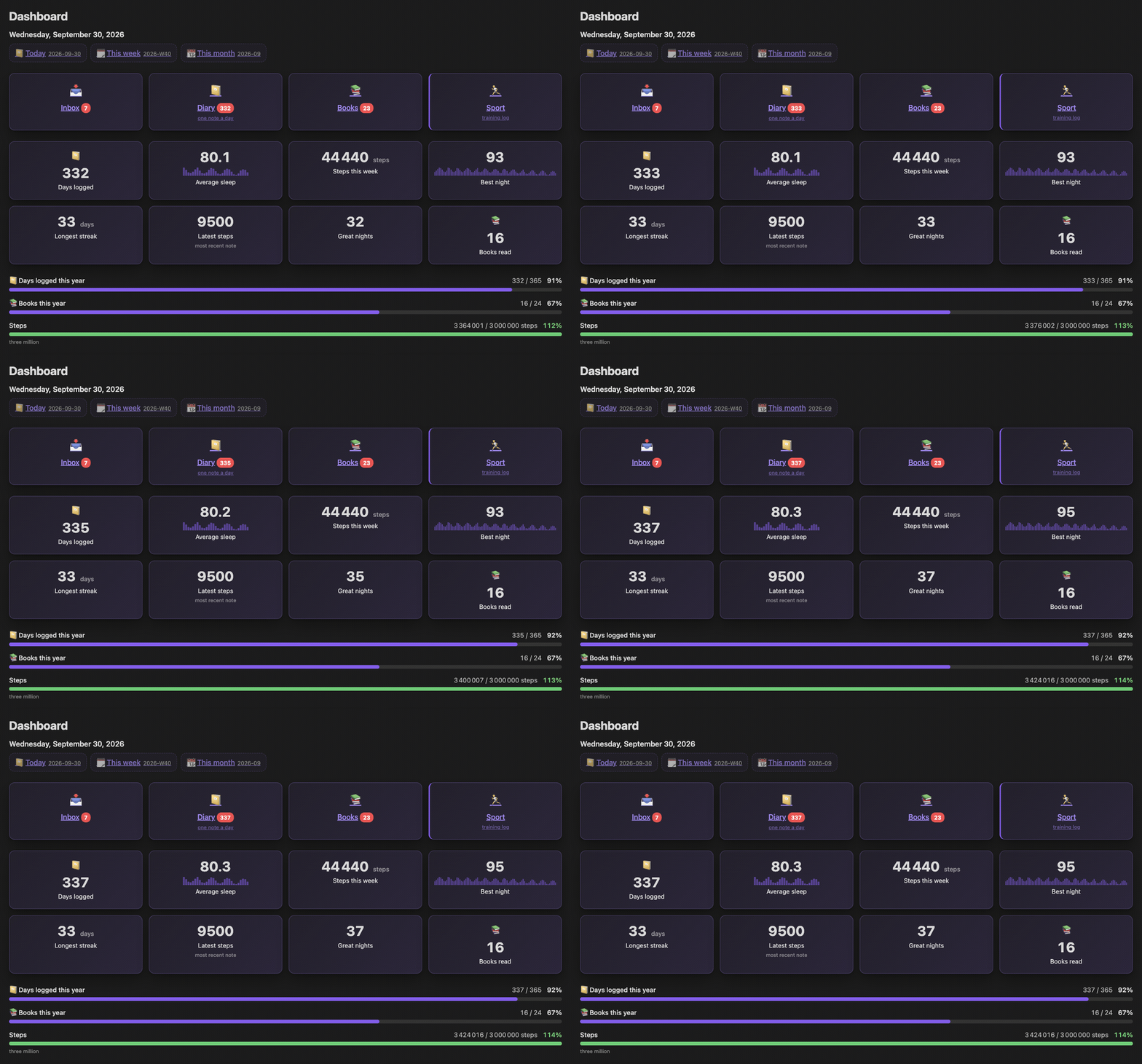
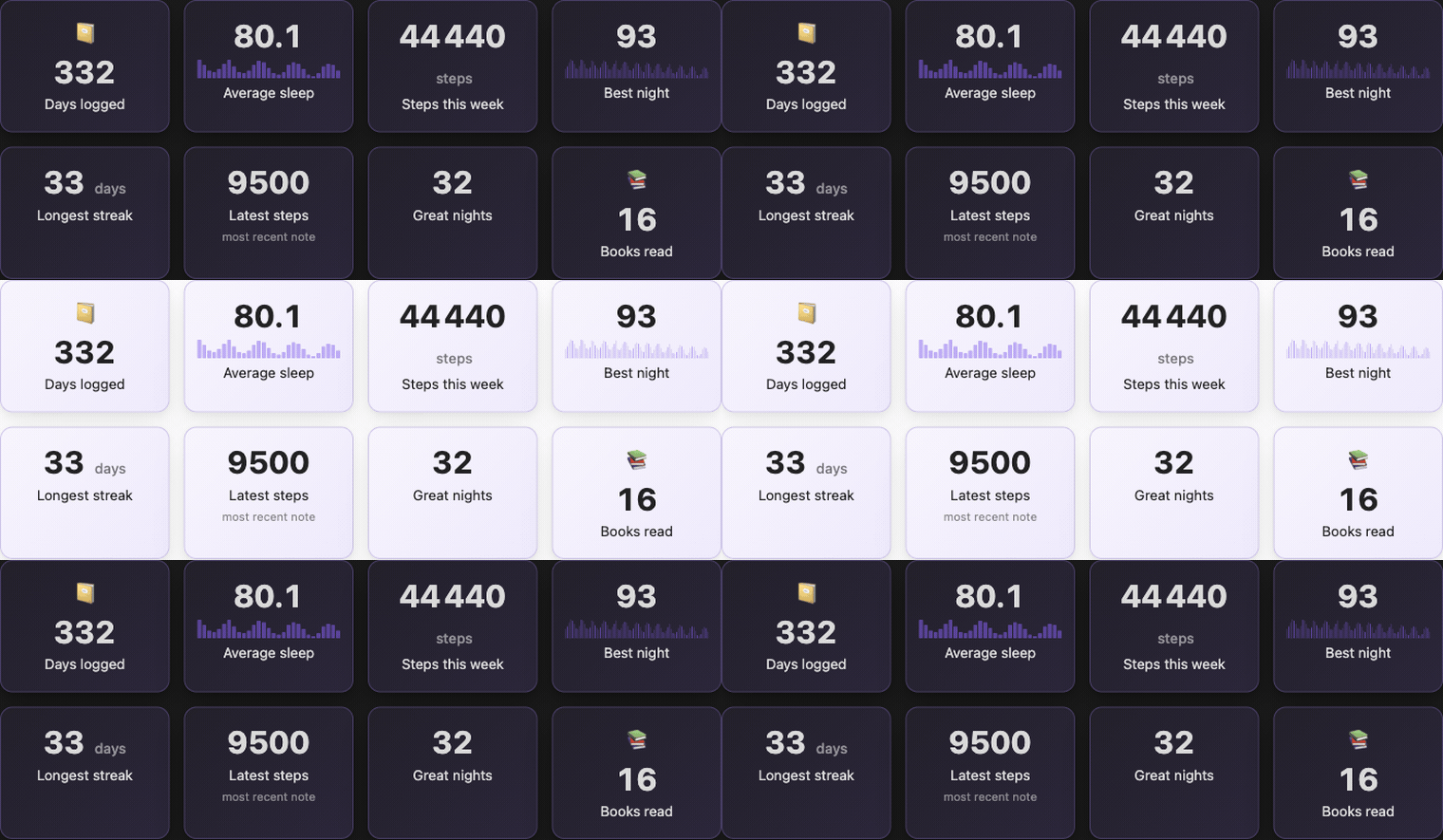
The heatmap keeps its own place too: scroll it by hand and a redraw reopens there instead of snapping back to the end, and on a narrow note a fading edge shows which side still has months to scroll to.
When the config is wrong, the block says so
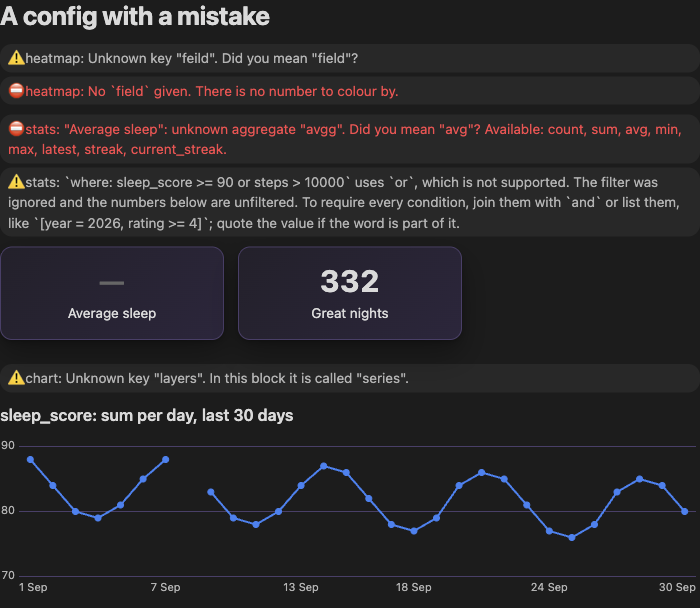
A block that cannot draw explains why, in the note, next to what failed. An unknown key suggests the one you probably meant. A broken YAML line reports its line number. A key borrowed from another block names what it is called here: layers in a chart points at series. A filter that could not be read says the numbers below it are unfiltered. A field nobody wrote and a field that holds text instead of a number get different messages, not one generic "no data": the heatmap and the stats cards both say which.
```heatmap
source: Diary
feild: sleep_score
```

```stats
items:
  - { label: Average sleep, source: Diary, agg: avgg, field: sleep_score }
  - { label: Great nights, source: Diary, where: "sleep_score >= 90 or steps > 10000", agg: count }
```

```chart
source: Diary
field: sleep_score
layers: [sleep_score]
```
An AI agent can write the blocks for you
Two buttons in Dashy's settings. Each writes a file only when you press it.
- Skill file in this vault writes
.claude/skills/dashy/SKILL.md, which Claude Code picks up on its own. - AGENTS.md in the vault root writes the same reference where Cursor, Codex and others look for it. Only the fenced Dashy section is Dashy's; the rest of that file stays as it was.
Both are generated from schema.json, the file the plugin validates against, so the reference an agent reads matches what the plugin accepts.
Make me a dashboard for my training log: weekly distance as bars with a 40 km goal, cards for this week's volume and my current streak, and a countdown to the marathon in May.
Five languages
The plugin speaks the language of your Obsidian interface, or the one you pick in its settings. Anything a translation misses falls back to English. Dates, month names and the first day of the week come from Obsidian itself.
The German, French and Spanish text was written by the author and corrections are welcome: copy src/i18n/en.ts, translate the values, register the file. No TypeScript needed.
What it leaves out
The list stops at seven blocks on purpose. Dashy does not draw:
- pie, radar or scatter charts, stacked bars (see Obsidian Charts)
- tables and queries (Bases, Dataview)
- kanban boards or task lists
where takes several conditions that must all hold, not or. If that stops you building something, say what you tried; that is the quickest way to change it.
Questions
Do I need Dataview or any other plugin?
No. Dashy reads frontmatter through Obsidian's own metadata cache. If you use Periodic Notes, the today block reads its folders and formats; it works with the core Daily notes plugin too.
Does it work on my phone?
Yes. The plugin is not desktop-only, and the blocks fit a narrow screen.
How does a block know a note's date?
From the note's name, as long as it starts with YYYY-MM-DD: 2026-03-02 Monday and 2026-03-02_standup both count. date_field can name a frontmatter date property instead on any block that counts by day, which is how a book note counts by the day it was finished. Notes without a date are left out of anything that counts by day.
Does a time zone shift my dates?
No. A note's date is its name or its date_field, text that no time zone changes. "Today" and every period window come from your local calendar day, never from toISOString(), which turns local midnight into the previous day east of UTC. At 23:50 in Tokyo, the dashboard still counts that day as today.
I go to bed after midnight. Which day is today?
New day starts at in the settings (00:00 to 06:00, midnight by default) decides what "today" means for every block: period and compare windows, the current day on the heatmap and the chart, countdown, current_streak. It changes which day the blocks point to, not which day a note falls on. Obsidian's own "Open today's daily note" keeps creating the calendar date's note at any hour.
Can a block read a nested property?
Yes. field: health.sleep reads sleep under a health: map, and where takes the same dotted paths. A literal key with a dot in its name wins first. A list is never indexed.
Will it write to my notes?
The blocks only read. Files get written when you ask: Insert block puts an example at your cursor, the settings buttons write the agent reference (in AGENTS.md Dashy owns only its fenced section; the rest of the file stays as it was), and clicking a dimmed link in today creates that periodic note.
Does it match my theme?
Yes. No colour is hard-coded; every surface is mixed from your theme's variables and accent colour.
How do I report a bug?
The settings tab has a row for it. It opens a GitHub issue with your plugin and Obsidian versions already filled in. Or go straight to the issue tracker.
Dashy is free and made by one developer. A star on GitHub tells others the plugin is worth a look, and a coffee is a way to say thanks.